
Editor’s Note: Welcome to the second Practice Checkpoint in Understanding and Preventing Entra ID Agent Identity Attacks: A Comprehensive Guide. Throughout the series, use these short, hands-on, mini-walkthroughs to explore the objects and behaviors we have discussed. To review previous chapters and practice lessons, start here.
In our first Practice Checkpoint, you learned how to build Agent ID and create your first agent user.
Now that the core objects exist, we’ll wire up the permission model in the same way it appears in real deployments: direct permissions on the agent identity and inherited permissions granted at the blueprint level.
This checkpoint sets the exact inputs we’ll later validate in tokens across the authentication flows.
Assign permission to the agent identity
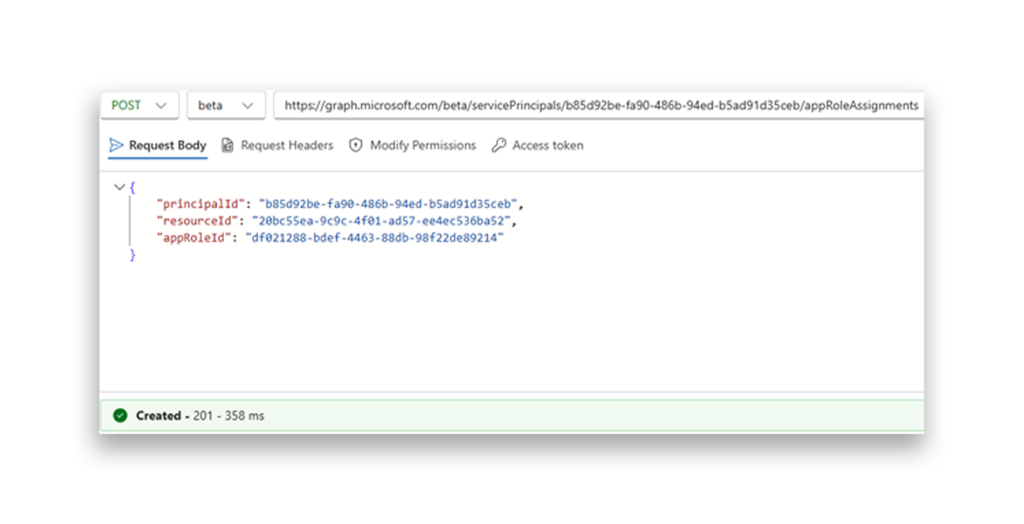
To demonstrate “direct” app-only permissions at the agent identity level, assign an app role to <agent-identity-id> using the same appRoleAssignments pattern as before.
In this demo, the appRoleId represents User.Read.All. We’ll use it later when authenticating as the agent identity and listing users.
Configure inheritable permissions
Configure inheritable permissions so the agent can inherit delegated scopes in delegated flows.
Step 1: Grant the delegated permission
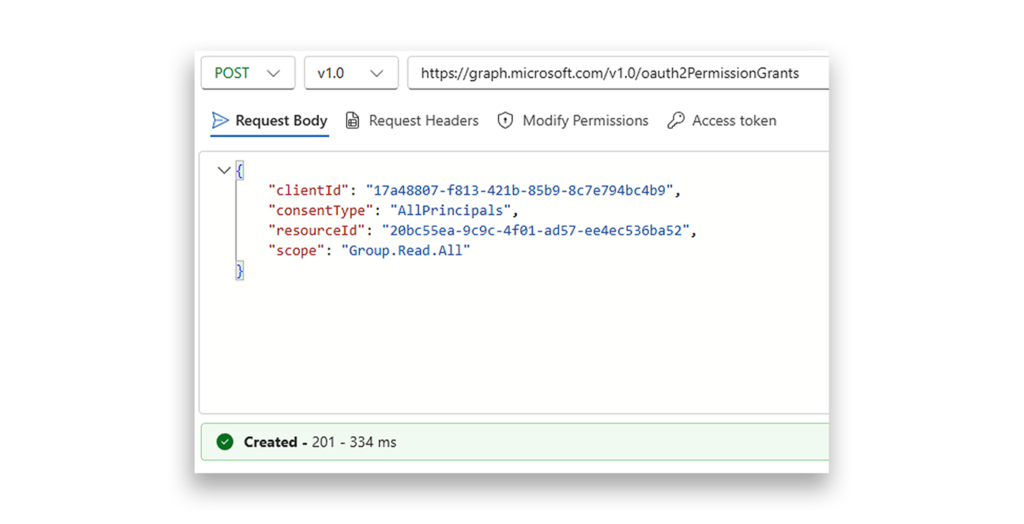
Create an oauth2PermissionGrants record that grants Group.Read.All to the agent identity blueprint (standard delegated consent flow).
Step 2: Mark it as inheritable
Call the /applications/microsoft.graph.agentIdentityBlueprint/<blueprint-id>/inheritablePermissions endpoint and include the resource app ID of Graph. Use an enumerated scope so the agent identity will inherit only the Group.Read.All permissions.
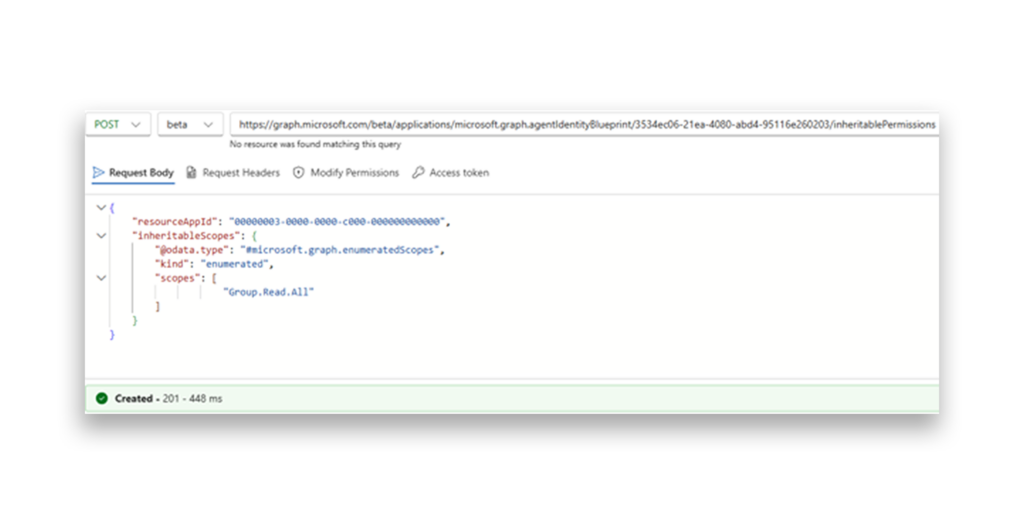
In a delegated authentication scenario, we will see and use those permissions to list the tenant groups. If you want all permissions to be inherited, just set kind to allAllowed instead of enumerated and remove the scopes property.
Although undocumented, it is possible to inherit enumerated app-only permissions. Instead of scopes, we will use appRoleIds, which require the app role’s GUID. So the request will look like this:
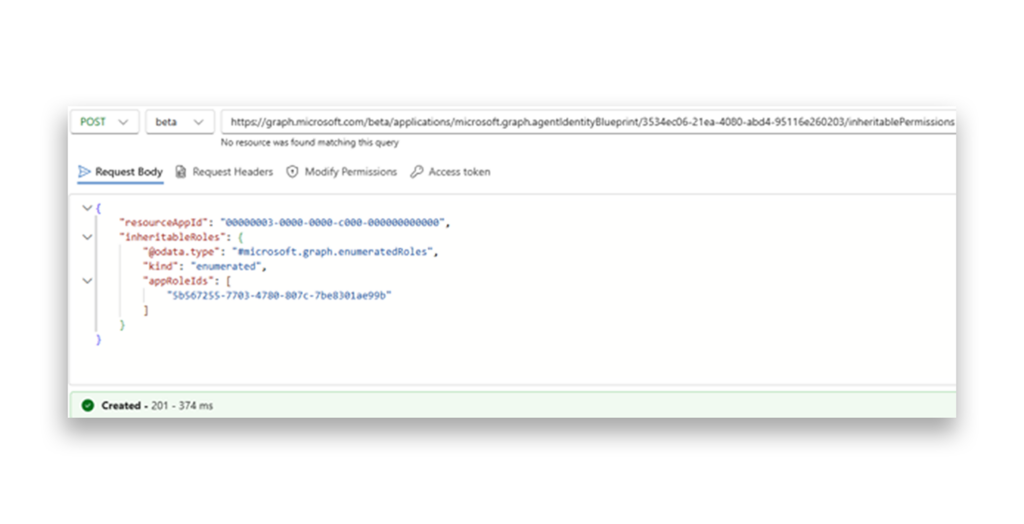
You can also set both at the same time. To update existing inheritable permissions, send a Patch request to the relevant resource you want to update.
PATCH /applications/microsoft.graph.agentIdentityBlueprint/<blueprint-id>/inheritablePermissions/<resource-app-id>
Next up: We'll discover how your agent identity authenticates and operates in Entra ID.
Explore the guide
- Introduction: Understanding and Preventing Entra ID Agent Identity Attacks: A Comprehensive Guide
- Chapter 1: Meet Entra ID Agent Identities (BTW They’re Not People)
- Chapter 2: The Taxonomy of Workload Identities in Entra ID: Enterprise Applications, Service Principals, and Other Forms of Organized Confusion
- Chapter 3: Understanding Microsoft Agent ID and the Agent Identity Platform
- Practice Checkpoint 1: Building Agent ID with MS Graph
- Chapter 4: Agent Identities: Design Deep Dive
- Chapter 5: The Agent Registry and How Agent Identities Operate in Entra ID
- Practice Checkpoint 3: Registering an Agent—With and Without Agent ID
- Practice Checkpoint 4: Verifying Tokens and Claims Across Three Entra ID Authentication Flows
- Chapter 6: Where Things Might Go Wrong with Agent Identities in Entra ID—and How to Prevent Disaster