
Editor’s Note: Welcome to the third Practice Checkpoint in Understanding and Preventing Entra ID Agent Identity Attacks: A Comprehensive Guide. Throughout the series, use these short, hands-on, mini-walkthroughs to explore the objects and behaviors we have discussed. To review previous chapters and practice lessons, start here.
In Chapter 5 of our guide, we introduced the Microsoft Agent Registry and explained how it works to enable visibility and governance over agent identities.
To see the theory in practice, let’s return to the agent identity we created earlier and register it in the Agent Registry.
Provide initial properties
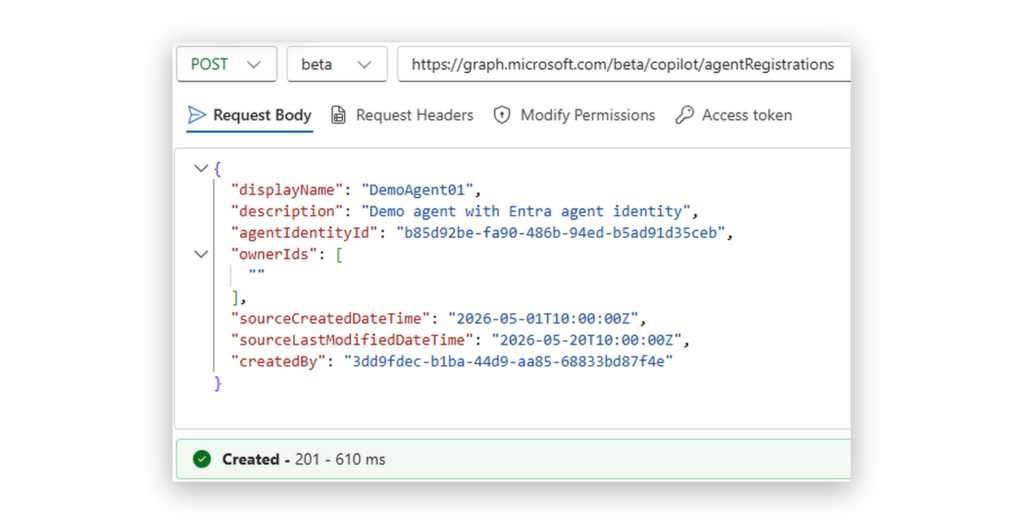
Call the /copilot/agentRegistrations endpoint and provide at least the following properties:
- display name
- agent identity ID
- owner IDs
- created by ID (could be user or service principal ID that created this agent)
- created date
- last modified date
This operation requires AgentRegistration.ReadWrite.All permission.
The response message includes the created id.
If you omit the agent identity id, the registry record is still created, but it won’t be linked to an Entra Agent ID (the scenario described earlier in the Registry chapter).
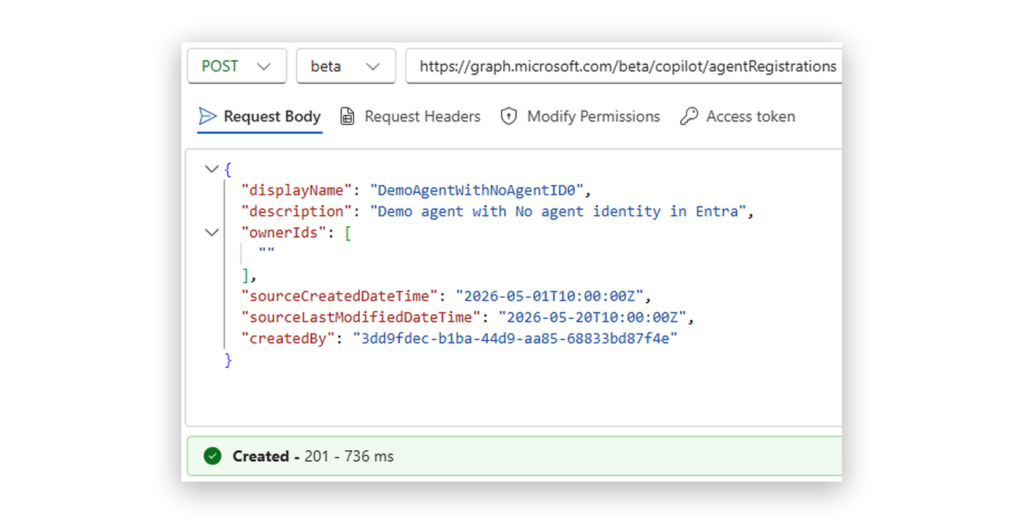
You can also enrich the registration with additional fields such as blueprint id, agent card, originating store, and more.
Validate registration
After registration, we can validate the result in the Microsoft 365 admin center under Agents / All agents / Registry.
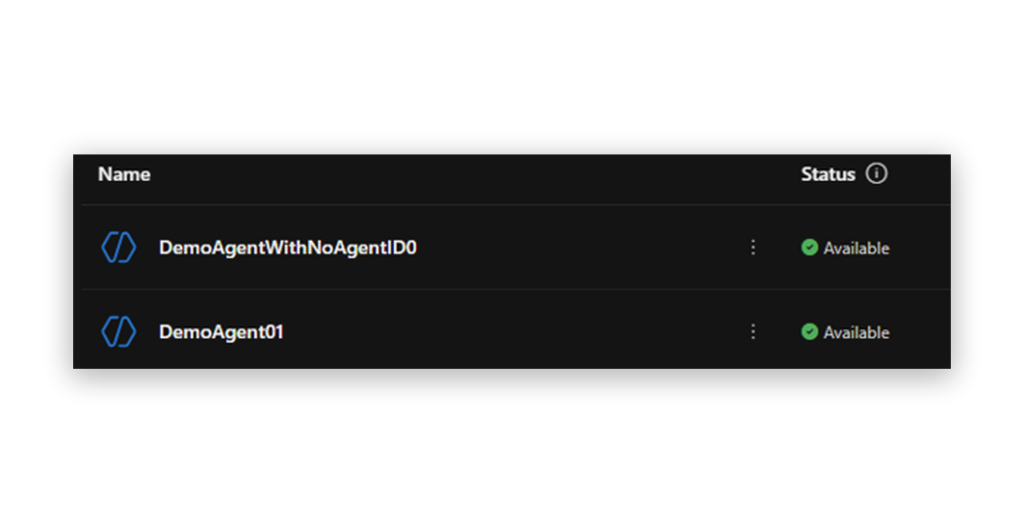
One will have an Entra agent ID linked to it.
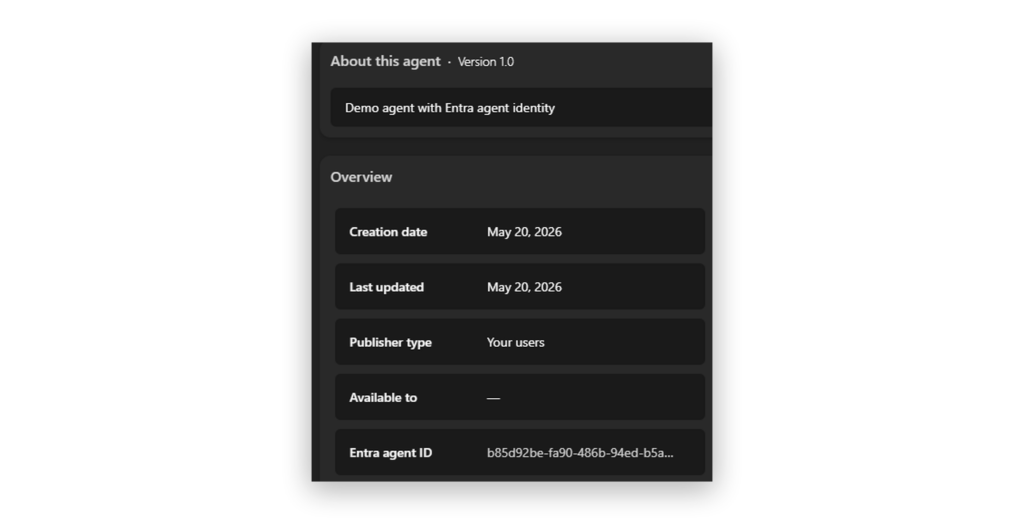
While the second will not.
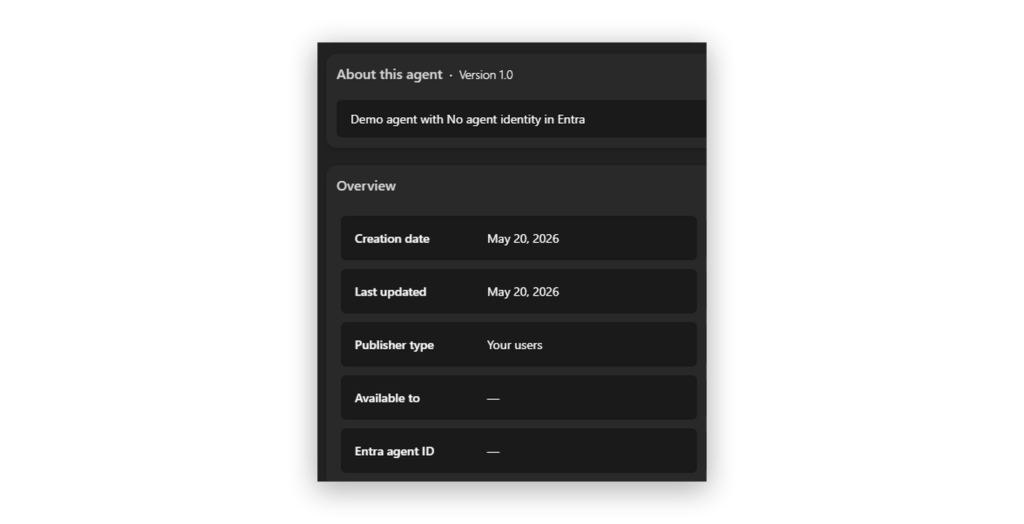
It is important to separate the Agent Registry registration from Entra Agent ID creation.
Registering an agent in the M365 Agents experience does not create a Microsoft Entra Agent ID.
- Entra Agent ID is the identity layer.
- The M365 registry is the management/discovery plane.
Next up: Let’s pick up where we left off in Chapter 5 and explore how agents operate in Entra ID.
Explore the guide
- Introduction: Understanding and Preventing Entra ID Agent Identity Attacks: A Comprehensive Guide
- Chapter 1: Meet Entra ID Agent Identities (BTW They’re Not People)
- Chapter 2: The Taxonomy of Workload Identities in Entra ID: Enterprise Applications, Service Principals, and Other Forms of Organized Confusion
- Chapter 3: Understanding Microsoft Agent ID and the Agent Identity Platform
- Practice Checkpoint 1: Building Agent ID with MS Graph
- Chapter 4: Agent Identities: Design Deep Dive
- Practice Checkpoint 2: Setting Agent Identity Permissions
- Chapter 5: The Agent Registry and How Agent Identities Operate in Entra ID
- Practice Checkpoint 4: Verifying Tokens and Claims Across Three Entra ID Authentication Flows
- Chapter 6: Where Things Might Go Wrong with Agent Identities in Entra ID—and How to Prevent Disaster